

 Sample
 Yocan® U.S.A. Official Store
 Yocan® Canada Official Store
 Yocan Black® Official Store
Industry News, News
How to Use the Yocan Orbit 2.0 ?
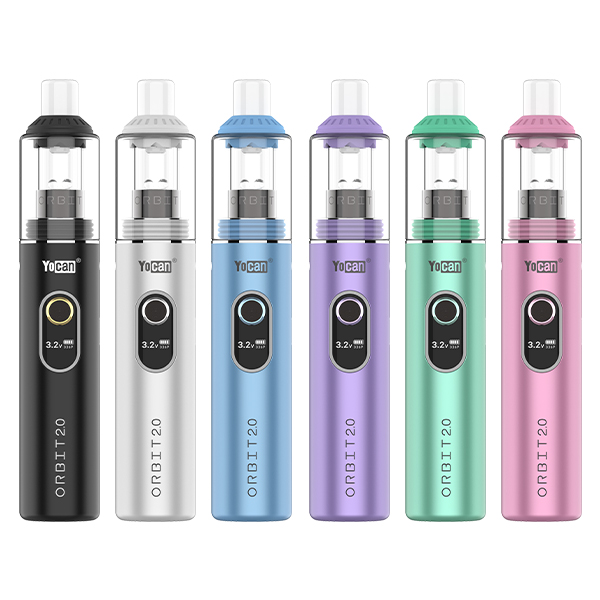
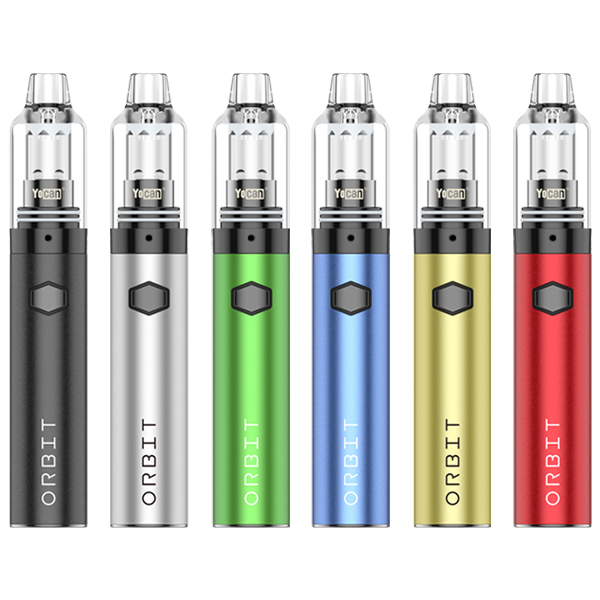
The Yocan Orbit 2.0 is a portable concentrate vaporizer built for users who want smooth flavor, customizable performance, and simple operation. Equipped with a 1400mAh rechargeable battery, adjustable voltage, a premium quartz cup, and an OLED display, it offers an easy way to enjoy your favorite concentrates while giving you more control over every session.
Whether you’re using the Orbit 2.0 for the first time or looking to improve your vaping experience, learning the proper setup and operation can make all the difference. This guide covers the device’s main features, how to use it correctly, and a few simple tips to help keep it performing at its best.
Yocan Orbit 2.0 Features and Benefits
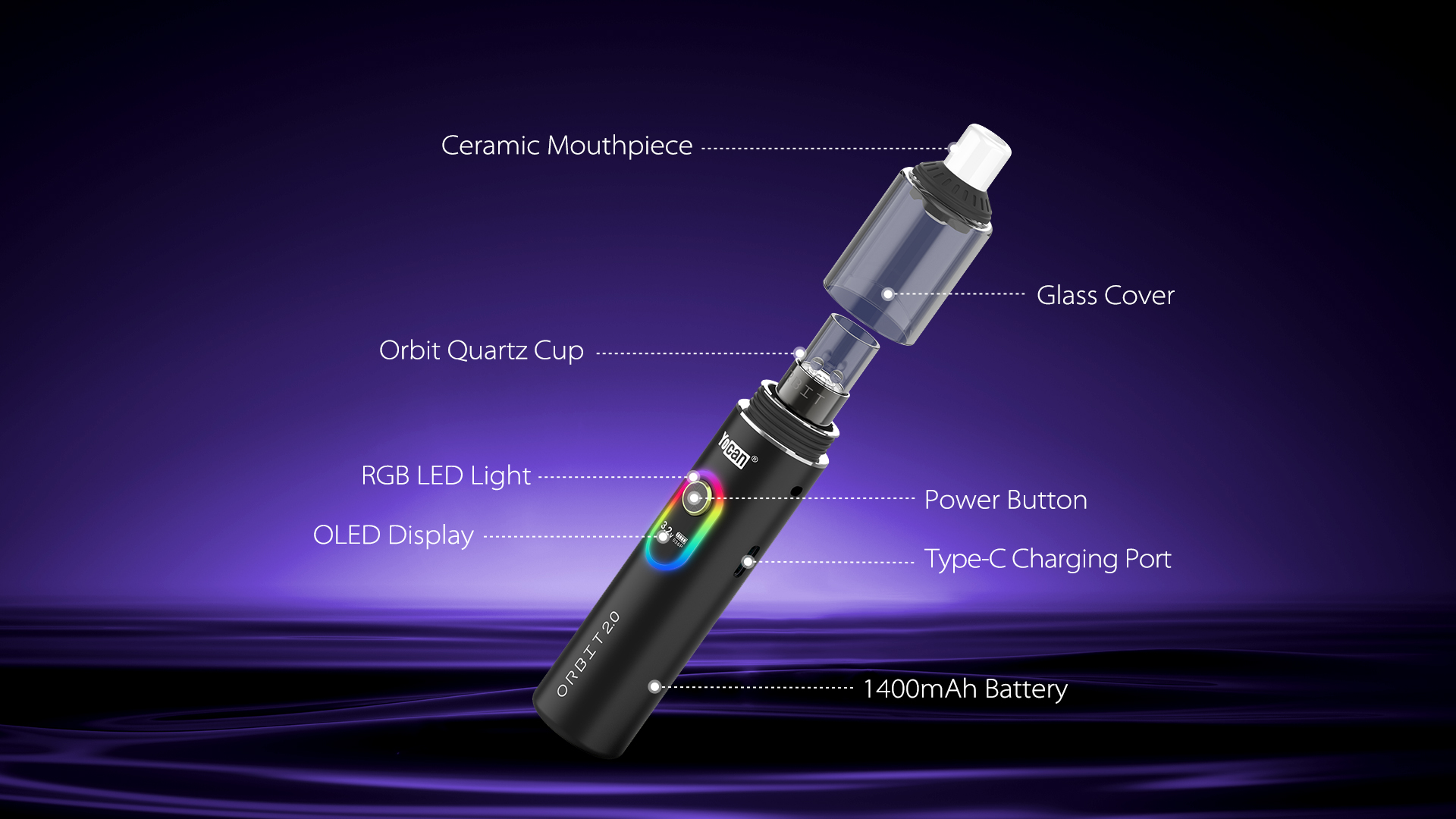
Powerful 1400mAh Battery: The built-in rechargeable battery delivers reliable power for extended sessions and supports convenient USB Type-C charging.
Adjustable Voltage: Customize your sessions with a voltage range of 2.8V to 3.8V. Lower settings provide smoother flavor, while higher settings produce warmer vapor and thicker clouds.
Premium Quartz Cup: The quartz cup is designed to heat concentrates evenly, helping preserve their natural flavor while delivering smooth, consistent vapor.
10-Second Preheat Mode: Activate the preheat function with two quick clicks of the power button to warm thicker concentrates before vaping.
OLED Display: The clear OLED screen displays your current voltage setting, making adjustments quick and easy.
Compact and User-Friendly Design: With simple one-button controls and a portable design, the Orbit 2.0 is easy to use at home or while traveling.
How to Use the Yocan Orbit 2.0
Charge the Device: Before your first session, fully charge the device using the included USB Type-C cable. Use a standard 5V/1A power source, as fast charging is not supported.
Power On the Device: Quickly press the power button five times within two seconds to turn the device on or off. The OLED display will light up once the device is ready to use.
Load Your Concentrate: Remove the glass cover and use the included dab tool to place a small amount of concentrate into the quartz cup. Avoid overfilling the chamber to ensure even heating and better airflow. Reattach the glass cover before vaping.
Activate Preheat Mode: Press the power button twice to start the 10-second preheat function. This feature gently warms your concentrate before the first draw, making it especially useful for thicker materials.
Adjust the Voltage: Press the power button three times to enter voltage adjustment mode. Press once to increase the voltage by 0.1V, or press and hold the button for rapid adjustment. Choose a lower voltage for better flavor or increase it for denser vapor production.
Start Vaping: Press and hold the power button while inhaling through the mouthpiece. Take slow, steady draws for the best results, especially when using a new concentrate.
Recharge When Needed: Recharge the battery when the power is low and disconnect the charger once charging is complete to help maintain battery performance.
Tips for Using the Yocan Orbit 2.0
A few simple habits can help you get the most out of your Orbit 2.0. Start at a lower voltage before increasing the temperature to find your preferred balance of flavor and vapor.
Use the preheat function when vaping thicker concentrates for more even heating. Avoid overloading the quartz cup, as smaller amounts generally produce cleaner flavor and are easier to maintain. Keep the glass cover and quartz cup clean to prevent residue buildup. Always use a 5V/1A charger and avoid fast charging.
Turn the device off after each session to help preserve battery life and prevent accidental activation.
How to Maintain the Yocan Orbit 2.0
Regular cleaning helps maintain flavor, improve performance, and extend the lifespan of your device. After each session, allow the Orbit 2.0 to cool completely before cleaning. Remove any leftover concentrate from the quartz cup and gently wipe away residue with a cotton swab. Clean the glass cover and mouthpiece regularly, and keep the threaded connection free from dirt or oil to ensure a stable connection.
When the device is not in use, store it in a cool, dry place away from direct sunlight and excessive heat. With proper care and regular maintenance, your Yocan Orbit 2.0 will continue delivering smooth, flavorful vapor session after session.
☞Click here to learn more about Yocan’s products