


























 Sample
 Yocan® U.S.A. Official Store
 Yocan® Canada Official Store
 Yocan Black® Official Store
Industry News, News
How to Use Yocan VEKE
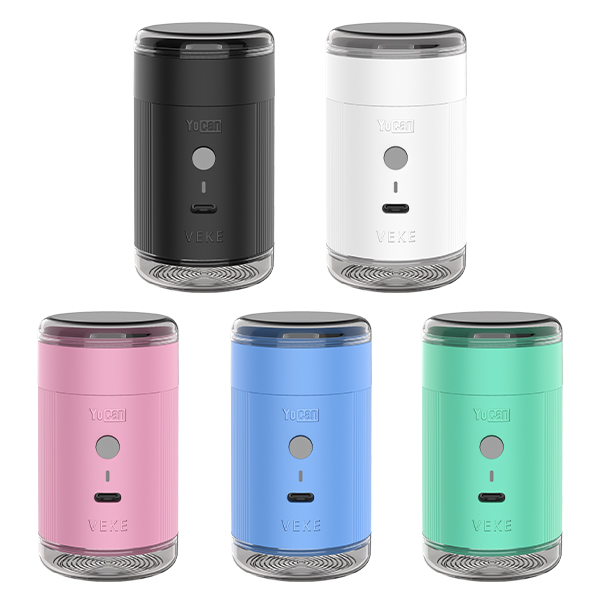
Hi friends, Yocan proudly introduces its new dry herb grinder. The Yocan VEKE Herb Grinder stands out in the herbal grinding equipment field with its compact, refined design and outstanding performance. Designed for efficient, convenient grinding of herbs, it seamlessly blends practical functionality with minimalist aesthetics, precisely meeting users’ demands for a high-quality grinding experience. Below is a user guide to help you operate this product correctly and resolve common issues.
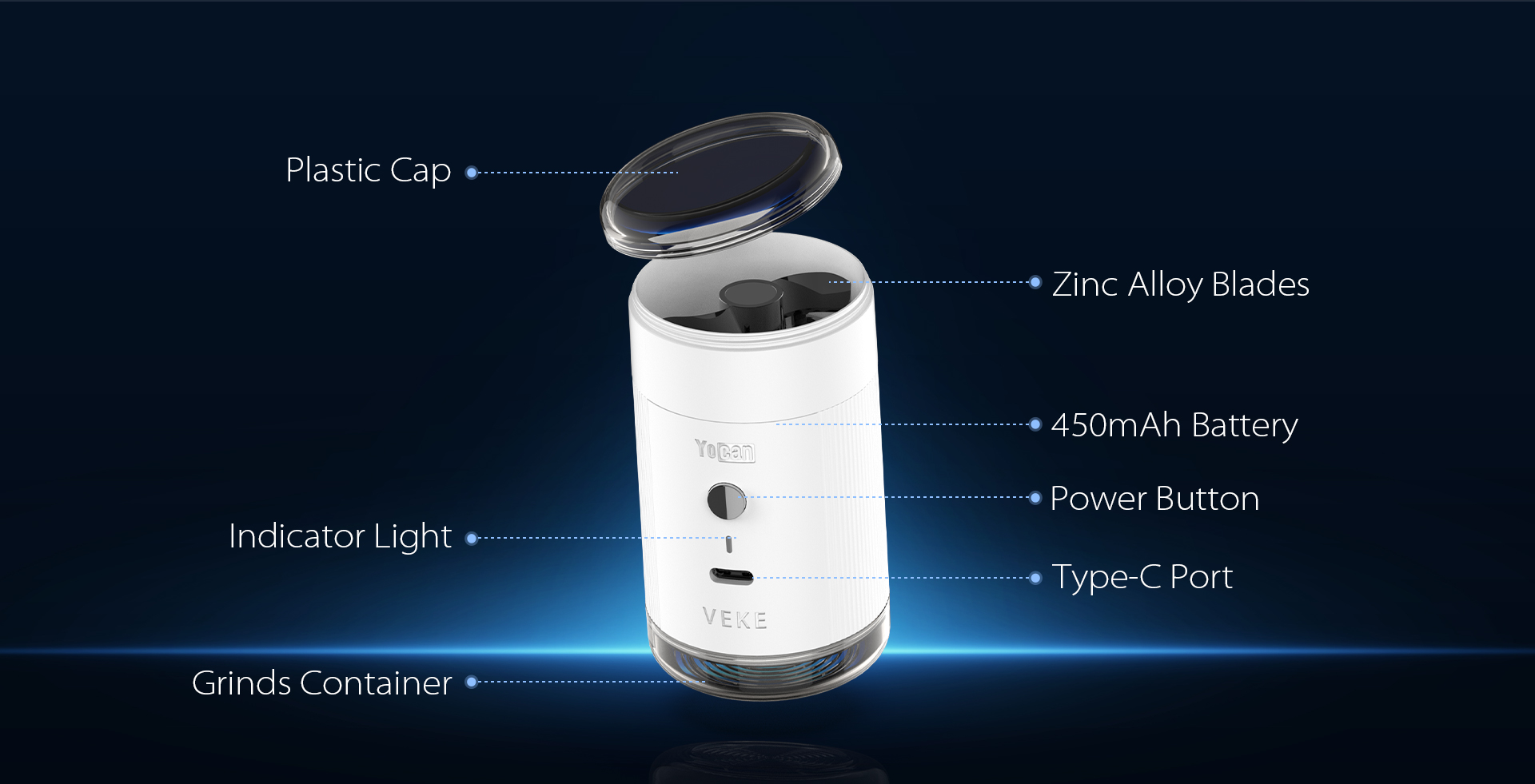
The Yocan VEKE features a streamlined silhouette with a precision-machined aluminum shell (some components are plastic), offering a comfortable grip and a stylish, premium feel. Available in multiple colors to suit diverse aesthetic preferences, it incorporates multiple safety features like a safety cutoff for added peace of mind. Equipped with zinc alloy blades, it grinds efficiently and uniformly, quickly processing herbs to the desired consistency. Its portable design allows you to grind anytime, anywhere.
How to Use Yocan VEKE
I. Preparation
- Grasp the plastic cap at the top of the device and slowly rotate it counterclockwise until fully unscrewed. Apply moderate force to prevent the cap from slipping off or becoming damaged due to excessive force.
- Evenly distribute the prepared herbs into the device’s chamber, filling it to approximately half its capacity. Avoid overfilling, as this may interfere with normal operation or cause herbs to spill out.
- After filling, screw the plastic cap back on clockwise, ensuring it seals tightly against the chamber to prevent herb leakage or abnormal noises during operation.
II. Power-On Operation
With the device powered off, rapidly press the power button five times within two seconds. Ensure each press fully depresses the button and releases quickly. Hearing a faint beep or observing the indicator light flash confirms successful startup.
III. Operating Mode Selection
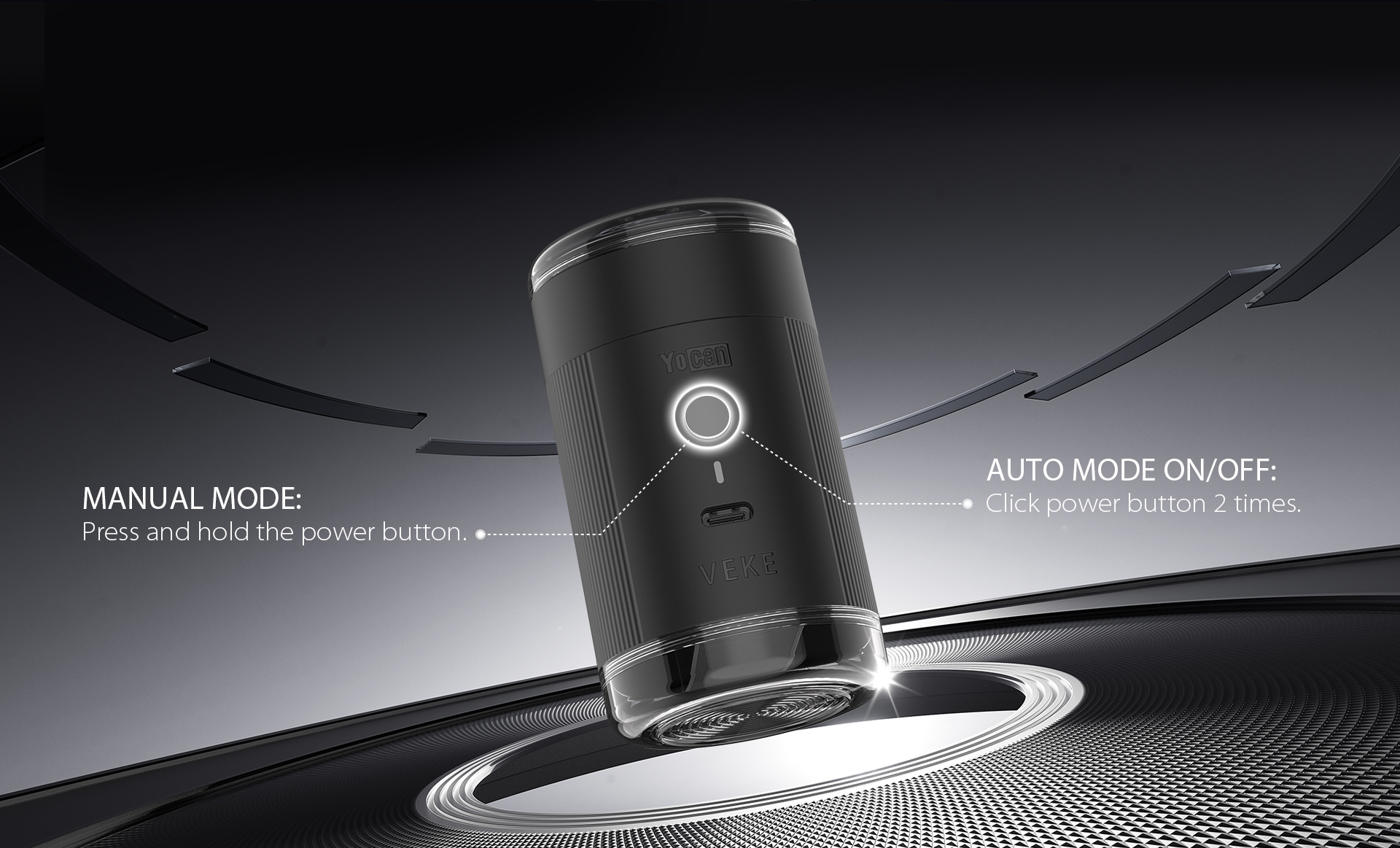
The device offers two operating modes: Auto Mode and Manual Mode. Users may select based on actual needs.
Auto Mode
Activation: With the device on, press the power button twice. The indicator flashes (e.g., once per second), and the device runs for 120 seconds before auto-shutoff.
Exit: Press the power button twice again to stop operation and return to standby.
Manual Mode
Activation: With the device on, press and hold the power button (2-3 seconds) until the indicator stays lit (or shows manual mode).
Stop: Press and hold the power button again (2-3 seconds) to halt operation and enter standby.
IV. Grinding Chamber Operation
- Grinding Chamber Handling:The grinding chamber is essential for holding and grinding herbs. Proper removal and installation ensure smooth operation.
- Removing: Grasp the chamber’s outer edge and gently pull it upward/outward (per device design) to detach. Avoid excessive force to prevent damage.
- Installing: Align the chamber’s magnets with the main unit’s for secure attachment. If misaligned, rotate the internal blades 90° and retry until firmly locked.
- Verification: After installation, shake the chamber slightly to confirm stability (no wobbling).
V. Shutdown Procedure
While the device is running or in standby mode, rapidly press the power button 5 times within 2 seconds (same as startup procedure). Ensure each press fully depresses and releases the button. Hearing the shutdown chime or observing the indicator light turn off confirms successful shutdown.
VI. Charging Instructions
The device uses a Type-C port for charging and can operate while charging.
Connect the included Type-C cable to the device’s port and a power adapter or computer USB port.
The indicator light shows charging status (e.g., flashing red during charging). When fully charged, it turns solid green—disconnect the cable.
VII. Precautions
- Auto-Shutdown: The device powers off automatically after 0.5 hours of inactivity to save power. Restart to resume use.
- Safety Guidelines:
- Operate in a dry, well-ventilated area; avoid water or humidity.
- Never touch the blades or grinding chamber interior during operation.
- Stop use and contact after-sales service immediately if abnormalities (odors, noises, overheating) occur.
Best grinder 2026 I highly recommend this grinder perfect for js